A new version is available
What the update notice means and how to refresh without losing work.
Production apps check for a new deployment while the page is visible and online. A new build can have the same displayed version number. The notification never reloads your page by itself: save any pending work, then choose Refresh. Dismiss the notification to continue for now.
Update without an unexpected reload
Captured during a real deployment change: the page kept its unsaved profile draft until Refresh was explicitly chosen.
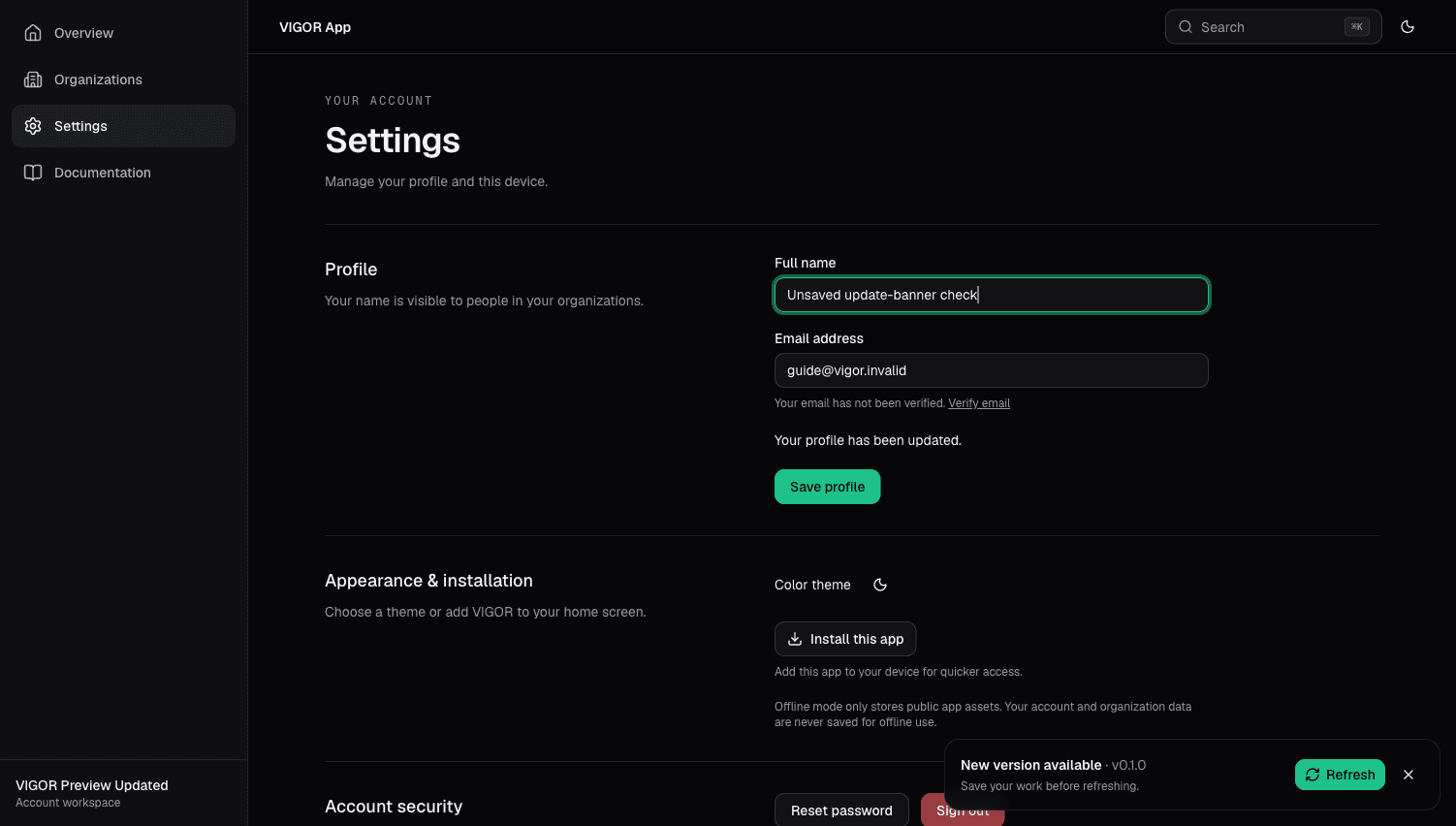
- Your unsaved input remains in place when an update is detected.
- Save changes before refreshing; a reload cannot preserve an unsaved form.
- Refresh loads the new deployment. The adjacent close control dismisses the notice.