Create and verify an account
Register with your name, email, and password, then confirm your email address.
Open the app host and choose Create an account, or go directly to /sign-up.
Enter your full name, email address, and a password of at least eight characters.
Choose Create account. The app confirms that the account is ready and sends a verification link through the configured email service.
Open the link. /verify-email?token=... verifies the address and offers Continue to
workspace.
If the link is absent or expired, open /verify-email, enter the same email address, and
choose Send verification email.
If the verification link does not work, the flow loops back through a new email:
View as text
%% title: Sign-up and email verification
flowchart TD
  A["Create an account with your name, email and password"] --> B["A verification link is emailed"]
  B --> C{"Does the link work?"}
  C -- "Yes" --> D["Address is verified: Continue to workspace"]
  C -- "Absent, expired or invalid" --> E["Request a new link at /verify-email"]
  E --> B
In local development, email is written to the API console when Resend is not configured. Never use a production password in a local environment.
Create your account
Registration fits a mobile screen. Use your own details; these captures use a local demonstration account.
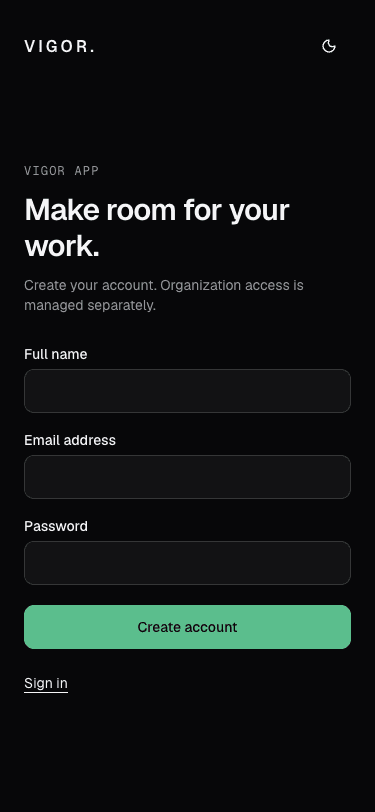
- Enter the name people in your organization should see.
- Choose a password of at least eight characters, then create your account.